DesktopSlides
Free 4K UHD Desktop Wallpapers App
What is DesktopSlides ?
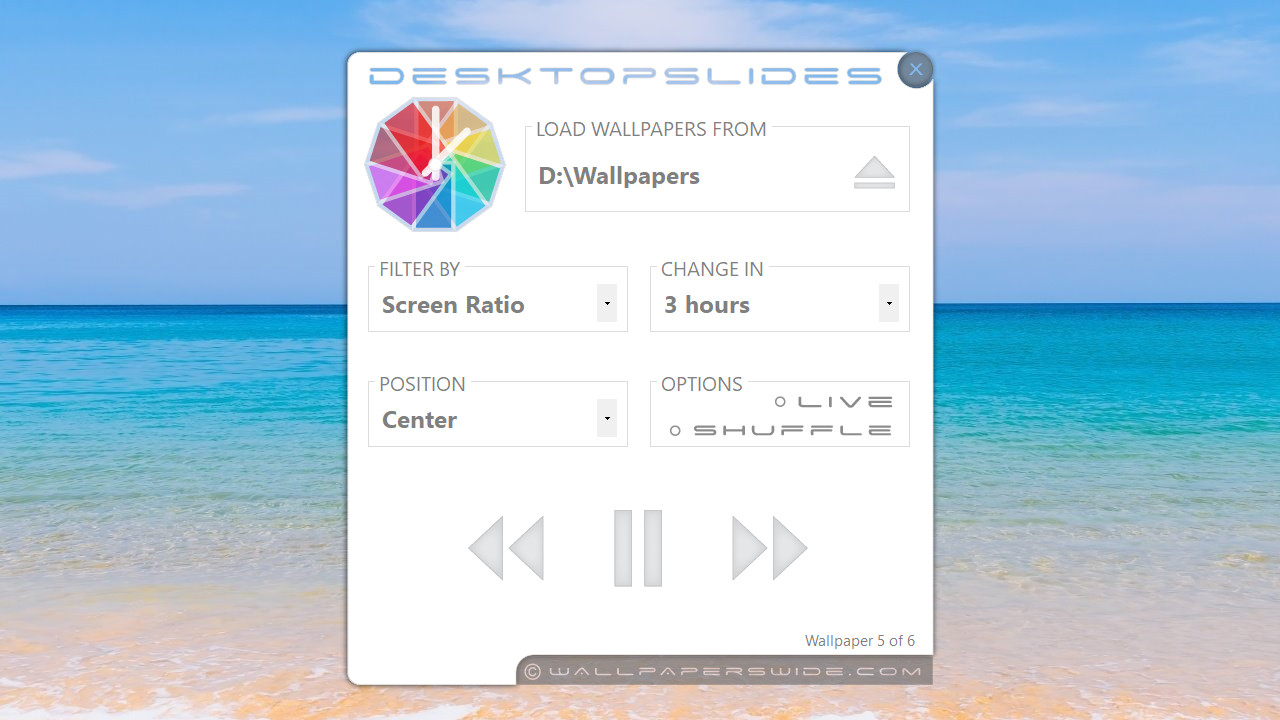
DesktopSlides is a light and user friendly desktop wallpapers app for Windows that enables a wallpapers slideshow feature for your desktop. You can set DesktopSlides to change your desktop wallpaper on a hourly or daily schedule (e.g. every hour) and customize the wallpaper position (tile, center, fit to screen).
Freeware
Real freeware, 100% free and 100% bloat free, no adware, toolbars, shareware or any other third party software embedded.Light software
Runs seamless on any PC capable of running Microsoft Windows, any version, 64bit or 32bit, as far back as Windows XP.Minimum system requirements
Windows 11 / 10 / 8 / 7 / Vista / XP ( x86 / x64 ).NET Framework 4.0 ( required only for Windows 7 / Vista / XP )
Features
Easy to use - clean & user friendly interface.
Lightweight - small memory footprint, 15MB to 40MB depending on the operating system and display resolution, usually less than 1% of the total memory for most computers.
64-bit software - runs in native 64-bit mode where available.
Online & Offline mode - you can choose to display wallpapers from a local folder on your PC (Live mode off) or from WallpapersWide.com (Live mode on)
Live wallpapers(*) - when Live mode is enabled it automatically downloads wallpapers from WallpapersWide.com : Top, Latest, Random, Category or Favorites gallery. Will download only wallpapers that match your display resolution.
Folder monitoring automatic folder monitoring for wallpapers loaded from local folder ( renaming, removing or adding new wallpapers in selected folder doesn't require selection reload ).
Wallpaper filters - load wallpapers filtered by your display ratio or resolution.
Shuffle wallpapers - change wallpapers ordered or random.
Easy updates - get notified when new version is available and update it with just a few clicks.
Cross compatible - all 64-bit & 32-bit versions of Windows 11, Windows 10, Windows 8, Windows 7, Windows Vista and Windows XP are supported.
Changes in version 2.1
Tray icon click behavior can be changed to Single click/Double click mode.
Share wallpaper option is available when Live wallpapers feature is enabled.
Redesigned interface and icons.
Two new options for live wallpapers selection, Category & User Favorites.
Changes in version 3.0
Fixed Live mode unavailable with latest server updates
Fixed high DPI display issues on Windows 11 & 10
Redesigned UI for increased compatibility with UHD and high DPI displays
Changes in version 3.1
New setup options
Improved setup and update feature
Fixed tray icon hidden on Windows 11
* Live feature requirements and restrictions
Live feature requires internet conection, is limited to a download ratio of 24 wallpapers per day and is available only for supported display resolutions. For a list of supported display resolutions please visit Supported Displays .
Screenshots


DesktopSlides Download mirrors